Pull-Up and Pull-Down Resistors Explained (with Button Debouncing)
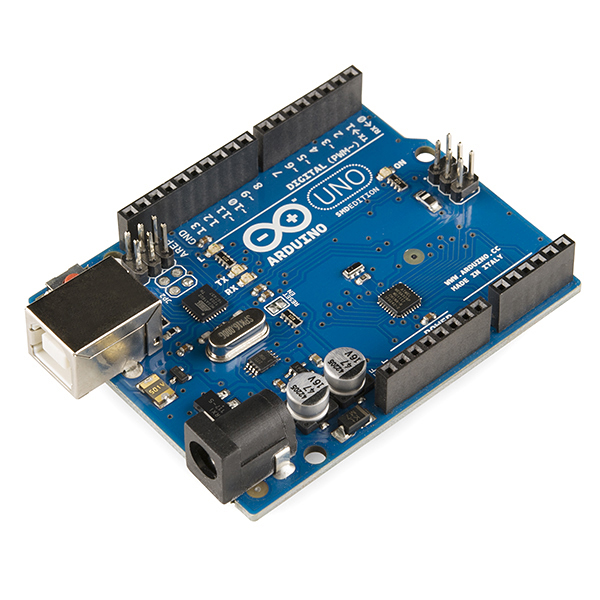
Why does your button read random values when nobody's touching it? Learn what a floating input is, how pull-up and pull-down resistors fix it, when the microcontroller's internal pull-up is enough, and how to debounce a button.
Here's a bug almost everyone hits. You wire a push button to an Arduino pin, print digitalRead() to the serial monitor, and the value flickers between 0 and 1 even when nobody touches the button. Sometimes it changes when you just move your hand near the wires.
Nothing is broken. The pin is floating, and the fix is one resistor.
What a floating input is
A microcontroller input pin has an extremely high input impedance. It draws almost no current and just senses the voltage. That's ideal for reading signals, but it means that when nothing drives the pin, its voltage is undefined. It picks up electrical noise from nearby wires, mains hum and your body, and drifts between HIGH and LOW at random.
A button connected between the pin and ground only drives the pin while pressed. When it's released, the pin is connected to nothing, so it floats.
The fix: give the pin a default
Pull-up resistor: connect a resistor (typically 10 kΩ) from the pin to VCC. With the button released, the resistor gently pulls the pin HIGH. When the button is pressed, it connects the pin directly to ground, which wins easily over the resistor, and the pin reads LOW.
Pull-down resistor: the mirror image. The resistor goes from the pin to GND, and the button goes between the pin and VCC. Released reads LOW, pressed reads HIGH.
With a pull-up, the logic is active-low: pressed = LOW. This trips people up at first, but it's the most common arrangement, because most microcontrollers have built-in pull-ups and a button to ground is the simplest to wire.
Why 10 kΩ?
The value is a trade-off:
- Too low (say 100 Ω): when the button is pressed, current flows from VCC through the resistor to ground. 5 V / 100 Ω = 50 mA, wasted, continuously, while the button is held.
- Too high (say 1 MΩ): the pull is so weak that noise can still overcome it, and the pin is slow to return to HIGH because of its own capacitance.
- 4.7 kΩ to 10 kΩ is the sweet spot for buttons: 5 V / 10 kΩ = 0.5 mA when pressed, and strong enough to reject noise.
Internal pull-ups: often good enough
Most microcontrollers include switchable pull-up resistors inside the chip.
const int BUTTON_PIN = 2;

void setup() {
  pinMode(BUTTON_PIN, INPUT_PULLUP);  // enable the internal pull-up
  Serial.begin(115200);
}

void loop() {
  bool pressed = digitalRead(BUTTON_PIN) == LOW;  // active-low
  Serial.println(pressed ? "pressed" : "released");
  delay(50);
}
- ATmega328P (Uno/Nano): the datasheet gives the internal pull-up as 20–50 kΩ. That's weak but fine for a button on a short wire.
- ESP32: most GPIOs have internal pull-ups and pull-downs (
INPUT_PULLUP,INPUT_PULLDOWN). Note that GPIO 34–39 are input-only and have no internal pull resistors. A button on those pins needs an external resistor.
Use an external resistor when the wires are long (more noise pickup), the environment is electrically noisy (motors, relays), or you're using a pin without internal pulls. Our ESP32 Flappy Bird project configures its button pin as plain INPUT, so the button board provides its own pull-up. Code and hardware have to agree on this.
Bouncing: the second button bug
Fix the floating pin and you'll often meet the next problem: one press counts as several. Mechanical contacts physically bounce when they close, making and breaking contact several times over a few milliseconds. The microcontroller is fast enough to see every bounce.
Software debounce: only accept a change if it has been stable for a short time.
const int BUTTON_PIN = 2;
const unsigned long DEBOUNCE_MS = 25;

bool stableState = HIGH;
bool lastReading = HIGH;
unsigned long lastChange = 0;

// Returns true once per press (on the HIGH -> LOW edge).
bool buttonPressed() {
  bool reading = digitalRead(BUTTON_PIN);
  if (reading != lastReading) {
    lastChange = millis();          // contact moved: restart the timer
    lastReading = reading;
  }
  if (millis() - lastChange > DEBOUNCE_MS && reading != stableState) {
    stableState = reading;
    return stableState == LOW;      // count only the press, not the release
  }
  return false;
}
Somewhere between 10 and 50 ms works for most tactile buttons. Hardware debounce is an RC filter (for example 10 kΩ and 100 nF) feeding a Schmitt-trigger input. It's useful when you use interrupts, which would otherwise fire on every bounce.
Pull-ups you need even without buttons
- I²C buses use open-drain outputs. Devices can only pull the line low, so the bus needs pull-up resistors on SDA and SCL, typically 2.2–10 kΩ depending on speed and bus capacitance. Many breakout boards already include them. See I²C vs SPI vs UART.
- Open-collector sensor outputs, common on IR obstacle modules and some Hall sensors, need a pull-up for the same reason.
- Enable and reset pins on many chips are held in a default state with a pull resistor, so the chip behaves predictably while the microcontroller boots.
- ESP32 strapping pins (such as GPIO 0, 2, 12 and 15) are read at boot to choose the boot mode and flash voltage. A pull resistor or circuit on them can stop the board from booting or flashing. Check before you use them for buttons.
Try it
Pull-ups, pull-downs and floating inputs are animated on Day 2 of the ElectroLab course, and button input is used throughout Day 3. The interactive missions include button-driven circuits to build.
References
- SparkFun, Pull-up Resistors: learn.sparkfun.com
- Arduino, Digital Pins (INPUT_PULLUP): docs.arduino.cc
- Espressif, ESP32 GPIO & RTC GPIO (input-only pins, strapping pins): docs.espressif.com
- Jack Ganssle, A Guide to Debouncing: ganssle.com